Customize and control your Logitech gear
Logitech G HUB is a free system utility software that enables you to manage and control your Logitech G hardware’s behavior. Developed by Logitech, this program is a unified portal for customizing and optimizing all supported devices connected to your PC—from mouse and keyboard to headsets and webcams. It replaces Logitech Gaming Software (LGS) for all gaming gear released in 2019 and beyond and adds new features for a more enhanced user experience.
Top Recommended Alternative
What is Logitech G HUB used for?
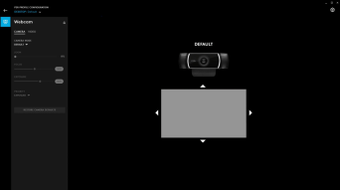
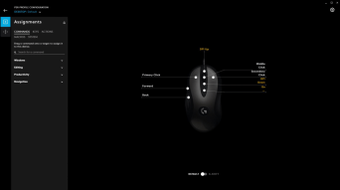
On the surface, Logitech G HUB is similar to programs like iCUE and Roccat Swarm. With it, you can configure your Logitech G gear’s settings. You can adjust your mouse’s optical sensor, DPI settings, scroll speed, button programming, and the like. You can set up your keyboard with easy macros, and rebind and remap keys. You can customize your audio for both speakers and headset. You can even create a camera and video profiles.
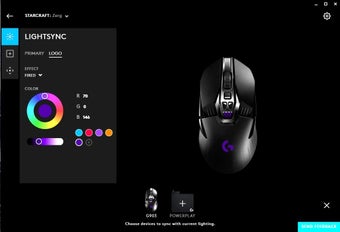
Aside from that, you can also control your RGB lighting with help from Logitech’s LIGHTSYNC technology. This program automatically recognizes your supported Logitech G gear, including any models that have integrated lighting systems, so you can customize to your heart’s content using the drag=and-drop function. Not only that but you can create different profiles for your creations and even share them with others online. This will require you to create an account for the software.
However, the basic features here can be accessed even without an account. Your firmware will be kept up-to-date automatically, as well. This gaming platform goes beyond just hardware, though, as it also has integrations with third-party applications and even OBS Studio. With this, you can create seamless live-streams. Unfortunately, while this software supports modern Logitech equipment, it has limited backward compatibility compared to the legacy LGS platform—which is still available for use.
A great gaming software
All in all, Logitech G HUB is a great choice if you happen to have new or recent models from the Logitech G gaming brand. It has full control over any supported hardware you may have and even lets you completely customize all settings to suit your needs. However, take note that not all of Logitech G’s gear can work with this software so any models released before 2019 may work much better with Logitech Gaming Software.